


All digital overlays are provided in high-quality PNG format, making them compatible with almost any photo or design software.
FOTOFANA
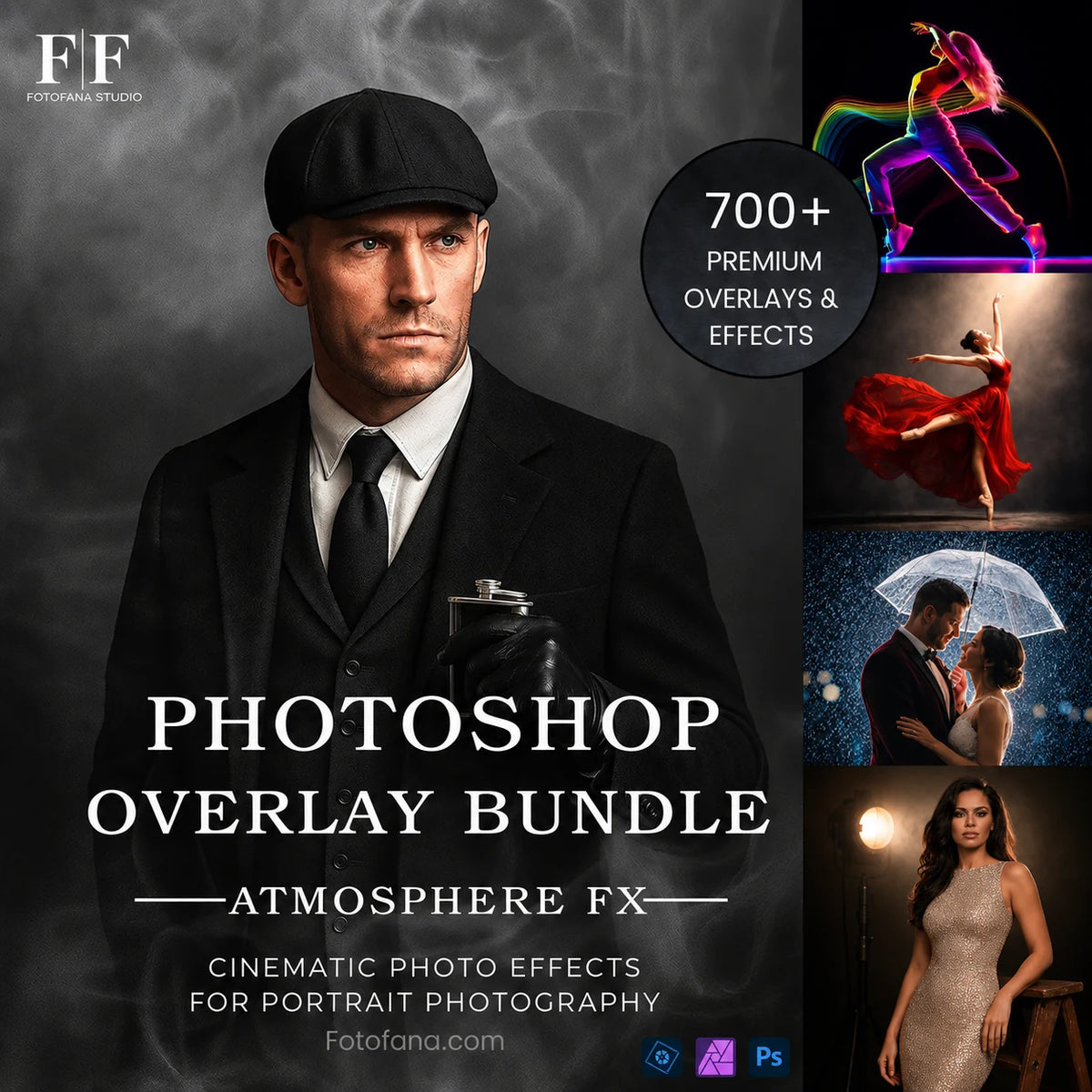
Photoshop Overlay Bundle
Photoshop Overlay Bundle
An all-in-one collection of premium effects for photographers who want more creative freedom in every portrait edit.
$499
$47.00
90% OFF
- ✔︎ 700+ overlays across 16 creative collections
- ✔︎ Easy to use — no complex editing or studio setup needed
- ✔︎ Step-by-step PDF guide included
- ✔︎ Personal & commercial use allowed
- ✔︎ Instant download · Lifetime access
Couldn't load pickup availability


Brandon S.
★★★★★
“I thought overlays would be complicated, but these are incredibly easy to use.”

READY TO TAKE YOUR EDITS TO THE NEXT LEVEL
GOOD PHOTO. BUT SOMETHING’S MISSING.
Add depth and atmosphere to every photo.
Create cinematic impact.
700+ ready-to-use overlays to add light, smoke, fog,
particles and dramatic effects to portrait edits.
16 Collections · High Resolution · PNG Format · 300 DPI · Instant Download
See the transformation
in real edits

Before

After

Before

After

Before

After

Before

After

Before

After

Before

After

Before

After

Before

After
Why Photographers Love
These Overlays
Trusted by 37,000+ photographers worldwide

Olivia Hart
Verified Buyer · Portrait Photographer
★★★★★
I’ve ended up using the light rays more than I expected.
When the original light feels a little flat, they give the portrait
extra depth without taking over the photo.
A little goes a long way, which is exactly what I like.

Daniel Cooper
Verified Buyer · Studio Photographer
★★★★★
The smoke overlays are probably my favourite part of the bundle.
I used a few on a recent studio set and they were
quick to blend in and easy to control.
Nice to have that option without setting up a fog machine every time.

Naomi Reed
Verified Buyer · Wedding Photographer
★★★★★
I don’t use effects on every wedding image, but the rain and haze have been great when a photo needs a little more feeling.
On the right image, they can
bring back the atmosphere of the day
without looking overdone.

Aaron Blake
Verified Buyer · Sports Photographer
★★★★★
I bought this mainly for the smoke effects, and they work really well for sports portraits.
They make a plain setup feel
more intentional and more dramatic.
I usually just lower the opacity a bit and it’s ready.

Mia Thompson
Verified Buyer · Fine Art Photographer
★★★★★
The bokeh dust and soft drapes are the ones I reach for most.
I prefer subtle edits, and these add
a soft fine-art feel without distracting from the subject.
There are plenty of options, but they still feel easy to use.

Lucas Bennett
Verified Buyer · Creative Retoucher
★★★★★
It’s a useful bundle when a client wants a little more atmosphere in an edit.
I’ve used the fog, rain, and light effects the most, and it’s helpful having
different looks ready to test quickly
instead of building everything from scratch.
What's Included In The Photoshop Overlay Bundle...


Compatible with Photoshop and most editing software


Everything You Need To Create Cinematic Portraits — In One Collection.
Create more depth, atmosphere and emotion in every portrait.
Inside, you’ll find 700+ high-resolution PNG overlays across 16 creative collections — including light rays, smoke, fog, rain, snow, bokeh, particles, soft drapes and more.
Simply place an overlay over your photo, adjust the opacity or blending mode, and create polished results in minutes.
All files are high-quality PNGs with transparent backgrounds, ready to use in Photoshop and other layer-based editors.
One-time payment. Lifetime access.
SHARED ONLINE
Seen On Social Media
See what people are sharing across social media.

FREQUENTLY ASKED QUESTIONS
1. What file formats are provided?
2. Do the overlays come in PNG format with transparent backgrounds?
Yes. All overlays are provided in high-quality PNG format with transparent backgrounds, ensuring seamless blending and ultra high quality results.
3. What are overlays and how do I use them?
Overlays are image layers designed to be placed on top of your photos or designs to add visual effects and atmosphere. Place the overlay above your image in any editor that supports layers (e.g., Photoshop, Canva, GIMP) and adjust opacity or blending mode until it looks natural.
4. Can I use these products commercially?
Yes, these products can be used for both personal and commercial purposes. You may use them in your own projects, client work, and marketing materials.
⚠️ Please note: reselling, sharing, or redistributing the original files as-is is strictly prohibited.
5. How will I receive the files after purchase?
Immediately after checkout, you’ll receive an email with a download link. All files are organized in a folder for easy access and use.
6. Do I get lifetime access after purchase?
Yes! One-time purchase grants you lifetime access to all files in the collection. Use them anytime with no extra cost.
7. Are these overlays suitable for video?
Absolutely. Thanks to their high quality, they work great in video projects—perfect for creative scenes or cinematic effects.
What Photographers Say About Us
★★★★★
4.7 / 5.0
Trusted by 1548+ Happy Photographers & Artists

Full Support Guarantee
Whether you're new to Fotofana or looking to get more out of your products, we’re here to support you.
Our helpful support team is just an email away, ready to answer questions.
📩 info@fotofana.com