


⭐⭐⭐⭐⭐ 37K+ Happy Creative Artists
FOTOFANA
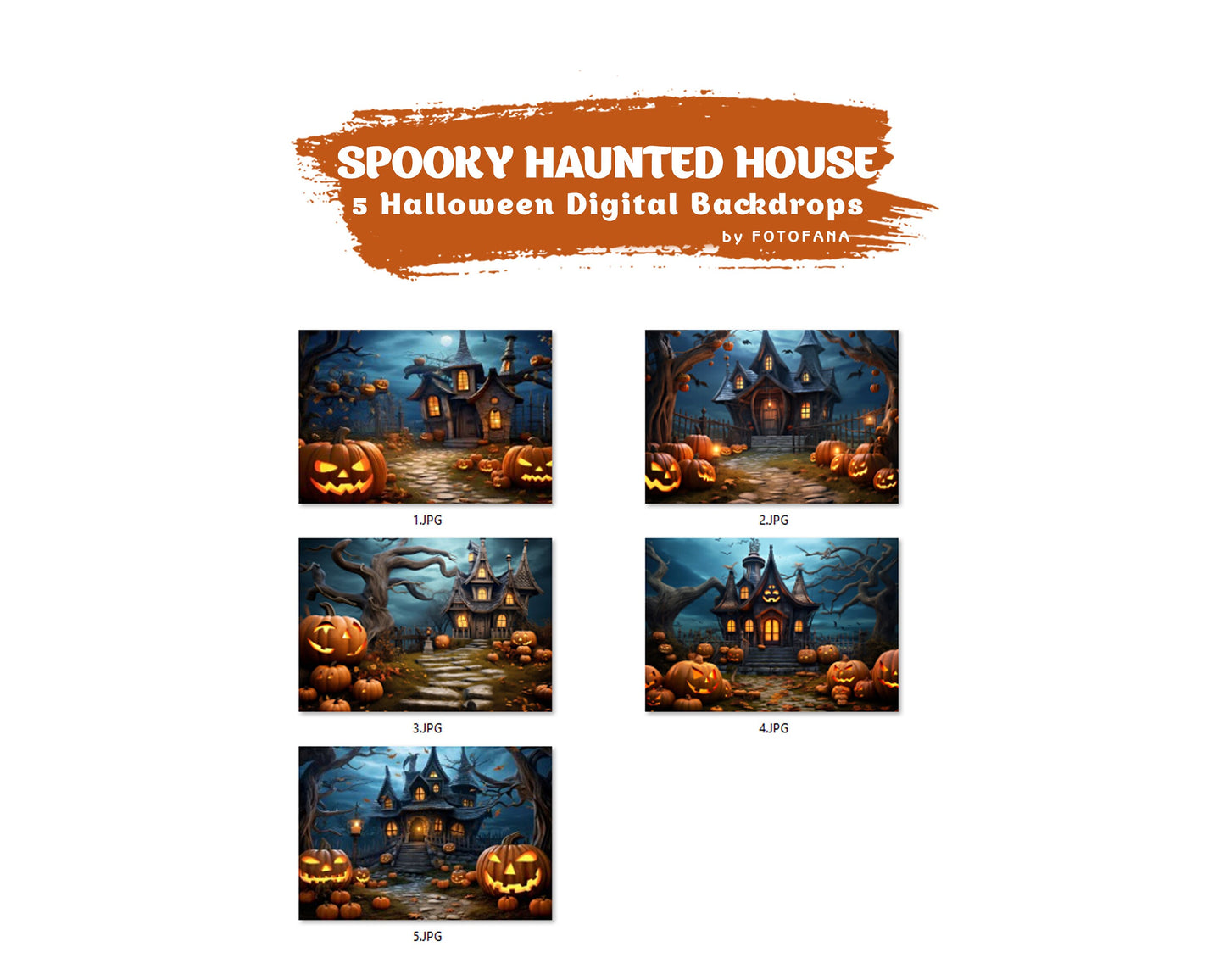
Halloween Digital Backdrop Spooky Haunted House Background Halloween Autumn Path Overlay with Pumpkins Halloween Composite Instant Download
Halloween Digital Backdrop Spooky Haunted House Background Halloween Autumn Path Overlay with Pumpkins Halloween Composite Instant Download
Limited Time Offer 🔥
- ✔Designed for portraits & creative editing
- ✔Suitable for beginners and professionals
- ✔Ready to use — start creating today
Couldn't load pickup availability






You Inspire Us!
Real edits by genuine Luxe users

Oliver from North Peak Portraits uses the
Photoshop Overlay Bundle
to add subtle depth and atmosphere to his portraits without affecting skin tones or overcomplicating the edit.
@northpeakportraits

Daniel from Slate Studio uses the
Portrait Pro Collection
to maintain a consistent, professional look across portrait sessions while speeding up his overall editing workflow.
@slatestudio.photo

Sofia from Luna Portrait Studio uses the
Dust & Texture Overlay Bundle
to add subtle texture and depth to her images, enhancing mood and detail without distracting from the subject.
@lunaportraitstudio

Marcus from Ironwood Visuals uses the
Fine Art Background Bundle
to create painterly, gallery-style portraits with controlled tones and a timeless, refined look.
@ironwoodvisuals

Elena of Wild Bloom Photography works with the
Floral Background Bundle
to add soft, organic elements to her portraits while keeping the focus naturally on the subject.
@wildbloom.photo


Real reviews from real customers
 2358 reviews
Natural-looking backgrounds
The backgrounds look natural and don’t require extra fixing in post.
No more physical backdrops
I used to deal with physical backdrops all the time. They wrinkle, need ironing, transport, and storage. On top of that, studio rentals add up. Digital backgrounds removed all of that, and it’s noticeably easier on the budget.
Clean results without a studio
I use them when I need a clean result without renting a studio.
Simpler editing workflow
I shoot outside the studio quite often, and that used to mean compromising on the background. Now I can focus on the shoot itself and bring the image to a professional level during editing.
Feels realistic, not pasted on
I’ve tried many digital backgrounds before, and most of them required a lot of correction. With these, the light and depth behave predictably and don’t feel pasted on.
Faster turnaround
Overall, I’m able to finish more projects in the same amount of time. These tools fit naturally into my workflow instead of complicating it.
Consistent quality every session
Consistency matters to me. These backgrounds help maintain the same visual standard from session to session, even when shooting conditions change.
Studio-free shooting
I stopped renting studios for simple portrait sessions. Visually, the quality didn’t drop, and organizing shoots became much easier.
Predictable results
Clients don’t ask questions about the background or the editing. They see the image as a finished piece, and that tells me everything is working as it should.
Subtle overlays
I’m usually cautious with overlays. These are subtle and easy to control, without pushing the image too far.
Controlled atmosphere
I’ve always had a love-hate relationship with overlays because they can easily ruin skin and light. These are different. I use them sparingly to enhance the mood, and the image still feels natural.
Adds light without overdoing it
Sometimes all a photo needs is a bit more light or atmosphere without rebuilding the entire scene.
Natural-looking backgrounds
The backgrounds look natural and don’t require extra fixing in post.
No more physical backdrops
I used to deal with physical backdrops all the time. They wrinkle, need ironing, transport, and storage. On top of that, studio rentals add up. Digital backgrounds removed all of that, and it’s noticeably easier on the budget.
Clean results without a studio
I use them when I need a clean result without renting a studio.
Simpler editing workflow
I shoot outside the studio quite often, and that used to mean compromising on the background. Now I can focus on the shoot itself and bring the image to a professional level during editing.
Feels realistic, not pasted on
I’ve tried many digital backgrounds before, and most of them required a lot of correction. With these, the light and depth behave predictably and don’t feel pasted on.
Faster turnaround
Overall, I’m able to finish more projects in the same amount of time. These tools fit naturally into my workflow instead of complicating it.
Consistent quality every session
Consistency matters to me. These backgrounds help maintain the same visual standard from session to session, even when shooting conditions change.
Studio-free shooting
I stopped renting studios for simple portrait sessions. Visually, the quality didn’t drop, and organizing shoots became much easier.
Predictable results
Clients don’t ask questions about the background or the editing. They see the image as a finished piece, and that tells me everything is working as it should.
Subtle overlays
I’m usually cautious with overlays. These are subtle and easy to control, without pushing the image too far.
Controlled atmosphere
I’ve always had a love-hate relationship with overlays because they can easily ruin skin and light. These are different. I use them sparingly to enhance the mood, and the image still feels natural.
Adds light without overdoing it
Sometimes all a photo needs is a bit more light or atmosphere without rebuilding the entire scene.
Natural-looking backgrounds
The backgrounds look natural and don’t require extra fixing in post.
No more physical backdrops
I used to deal with physical backdrops all the time. They wrinkle, need ironing, transport, and storage. On top of that, studio rentals add up. Digital backgrounds removed all of that, and it’s noticeably easier on the budget.
Clean results without a studio
I use them when I need a clean result without renting a studio.
Simpler editing workflow
I shoot outside the studio quite often, and that used to mean compromising on the background. Now I can focus on the shoot itself and bring the image to a professional level during editing.
Feels realistic, not pasted on
I’ve tried many digital backgrounds before, and most of them required a lot of correction. With these, the light and depth behave predictably and don’t feel pasted on.
Faster turnaround
Overall, I’m able to finish more projects in the same amount of time. These tools fit naturally into my workflow instead of complicating it.
Consistent quality every session
Consistency matters to me. These backgrounds help maintain the same visual standard from session to session, even when shooting conditions change.
Studio-free shooting
I stopped renting studios for simple portrait sessions. Visually, the quality didn’t drop, and organizing shoots became much easier.
Predictable results
Clients don’t ask questions about the background or the editing. They see the image as a finished piece, and that tells me everything is working as it should.
Subtle overlays
I’m usually cautious with overlays. These are subtle and easy to control, without pushing the image too far.
Controlled atmosphere
I’ve always had a love-hate relationship with overlays because they can easily ruin skin and light. These are different. I use them sparingly to enhance the mood, and the image still feels natural.
Adds light without overdoing it
Sometimes all a photo needs is a bit more light or atmosphere without rebuilding the entire scene.
FREQUENTLY ASKED QUESTIONS
1. What are digital backdrops, overlays, and textures, and how do I use them?
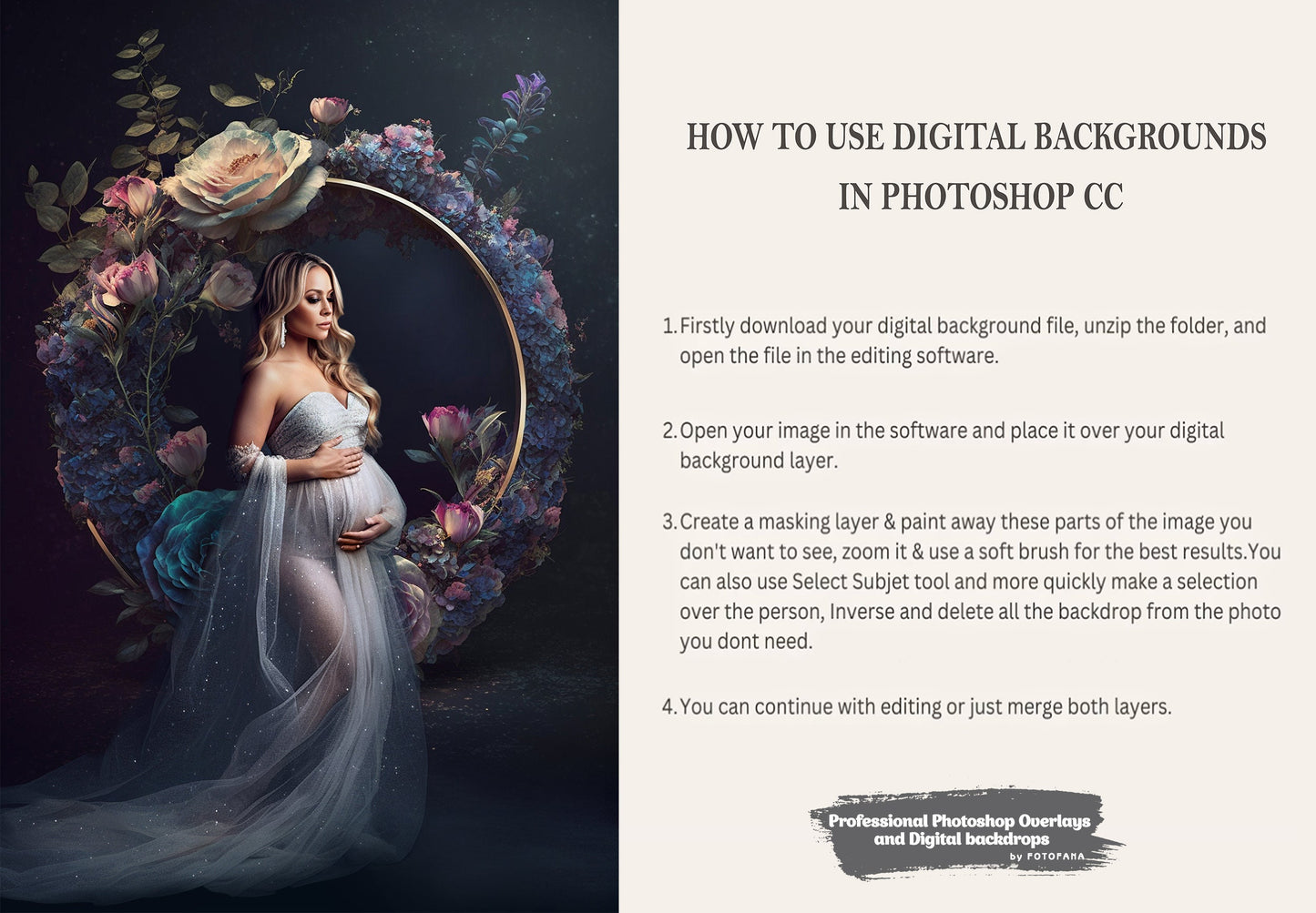
Digital backdrops, overlays, and textures are high-quality images designed for use in photography and design projects. You can easily add them behind your subject or on top of your photos using any editing software that supports layers, such as Photoshop, Canva, GIMP, and others.
2. How do I download the products after purchase?
After completing your purchase, you will receive an email with a link to instantly download the digital products. The files will be provided in a folder for easy access.
3. Are the files high enough resolution for printing?
Yes, all our digital products have a resolution of 300 dpi, which meets standard printing requirements. This ensures good print quality for most common uses. Please note that some products may include artistic or stylized effects, so slight softness in the images can be part of their design.
4. What file formats are the products available in?
Our digital products come in various high-resolution formats depending on the type:
Backdrops are usually provided in JPG format, compatible with most photo editing software.
Overlays often come in PNG format with transparent backgrounds, ideal for layering effects.
Textures may be available in JPG, PNG, or PSD (Photoshop) formats, depending on the product.
This ensures compatibility with a wide range of editing tools and creative projects.
5. Are these files suitable for video projects?
Yes, the high resolution makes them versatile for use in video projects, such as backgrounds or scenes.
6. Can I use these files commercially?
You may use backdrops, overlays, and textures for personal and commercial projects, including client photoshoots, video projects, and design work. However, the final product must contain your unique creative input. Reselling, sharing, or redistributing the files as-is is strictly prohibited.
7. Do I have lifetime access to the products?
Yes, with a one-time purchase, you have lifetime access to your digital files.
Ready to Elevate Your Photos to a Professional Level?
Learn proven editing techniques and creative workflows used by 35,000+ photographers to achieve polished, professional results.